Showing posts with label encryption. Show all posts

Friday, March 24, 2023

Github updating its ssh keys

Today I learned that the Microsoft-owned Github decided to update its RSA SSH host host key but did not explain its reasoning. Why would it go through all of this trouble? Usually when a company does that, it is their way to cover that they were hacked or were compromised in some other way. That is not what is written in their blog, so we will have to wait for this to unfold.

"What does that mean to companies and developers depending on that?" Well,

  • If you created a SSH RSA keypair to authenticate against github -- so you can git push and git pull your repos without entering your password -- you probably wants to consider creating a new pair, deleting the old one, and using the new one. Ideally, this may also be an excuse to switch to an ECDSA-derived key such as ed25519 if you are able to. Sometimes this is hard because you may be dealing with a host that does not support that... not that have ever happened to me.
  • If you have received the github RSA pub host key, which was added to your .ssh/known_hosts (if you are using Linux, OSX, and some UNIX variation) file, you will need to delete that entry and get github feed you a new one. Of course, you want to ensure you are getting the proper github key, not one from someone impersonating it.
  • If you use Windows, well, let me get back at you on that later.

Now some developers will argue that relying on known_hosts has caused more failures of working software than preventing faked host access since SSH was originally written. Their proposed way to deal with that is to tell ssh not to check the validity of the host key. In Linux, OSX, and other UNIX versions that would mean to disable that in ~/.ssh/config. If you want to disable the Key checking to all ssh connections, you could do something like (the boldface lines are the most important parameters)

    Host *
           UserKnownHostsFile /dev/null
           StrictHostKeyChecking no
           LogLevel error

While I understand that the above is a clever way of stopping suck pesky keys from hampering your style, disabling security for the sake of convenience is never a good solution. The more time-consuming solution is to remove the offending keys in ~/.ssh/known_hosts so you can ensure you are getting the right key, not a key impersonating the site you want to connect to, which in this case is github.

Fun fact: given that I saw the following message, I think they are not only changing the RSA key:
Warning: the ECDSA host key for 'github.com' differs 
from the key for the IP address '140.82.121.3'

Wednesday, November 17, 2021

German Federal Office for Information Security leaks private encryption key

BSI office in Bonn. Photo by Oliver Berg, DPA

The Bundesamt für Sicherheit in der Informationstechnik (German Federal Office for Information Security) (BSI) is the German federal agency in charge of managing computer and communication security -- critical infrastructure protection, internet security, certification of security products -- for the German government. It also advises manufacturers, distributors, and users on identifying and minimizing data security risks. Like many organizations, when the GDI needs to send or receive an encrypted email, it relies on the OpenPGP standard. It creates a public/private keypair and then shares the public key with anyone who wants to send a message. That not only allows senders to know only BSI can decrypt their messages but also verify it was indeed BSI who replied to it.

Early this month Golem.de reported that the BSI, when asked for the public key by someone who wanted to submit confidential information, accidentally sent the corresponding private key. Eventually this key was revoked and a new keypair was issued, but that happened only after Golem.de contacted the BSI.

Questions

  • How long has the BSI known of that data breach? Per GDPR's Article 33, a data breach should be reported to the nearest Data Protection Authority within 72 hours of the Data Controller, in this case the BSI, becoming aware of it.
  • How long did it take for its Data Privacy Officer (DPO) to inform the data subjects? Per the Golem.de article, the BSI kept using this key pair for months after the incident.
  • How many data subjects were affected by this data breach?
  • Has it immediately created a new keypair and let all those who rely on that know of the incident and receive the new public key? According to the Golem.de article, the BSI still used that keypair for months after the incident.
  • The BSI stated the key was password protected. One must assume the (accidental) recipient of this email had the password. However, we have no idea of the strength of password. Because of how the SMTP protocol works, there are many opportunities to get a copy of the email containing the encrypted key as attachment. And then, it becomes the classic password cracking routing in the comfort of your home.

Notes

While many are looking at this event from a security standpoint, this really should be seen from the privacy standpoint:

  • The impact on the privacy of those who have used this compromised key is yet to be understood. How much personal data has been exchanged using this very key under the assumption it was protected from prying eyes? This encryption key is probably only used to transmit sensitive data; once it is received, it is downloaded, extracted, decoded, and then acted upon. So, unless it is deleted, it is stored in encrypted format at the customer's and the BSI destination mail accounts. And it is possible that the mail transfer agents (MTA) that act as hops between them, storing and relying to the next hop, also keep a copy for a period of time.
  • While they probably did a Data Protection Impact Assessment (DPIA), one must assume this kind of data breach was not a possibility they considered. However, hindsight is always 20/20: it very easy to, after this breach is exposed, point fingers at them, but I would like to know any company which accounted for this in their risks from their accidental or unauthorized actions list before this incident.
  • Privacy by design is a lofty goal, but in reality it can never be fully achieved. Best we can do is take this as a teaching moment. For instance, we expect that the BSI will now implement a system in which private keys can be used but not directly accessed.

References

Sunday, August 8, 2021

Is your phone plotting against you?

There is say that states when cats nap, they dream of plots to kill their "owners."

What about phones?

Ok, maybe phones are not planning on killing you, and should have grown out of their arsonistic phase, but that does not stop them from being up to no good. You see, they are always sending information about your location, what you are saying (Alexa and Siri, I am looking at both of you), what you have searched for or bought, and even pictures and videos (think taking a protored exam at home, but creepier). Bottom line is smart phones are little snitches: they compromise your privacy by design.

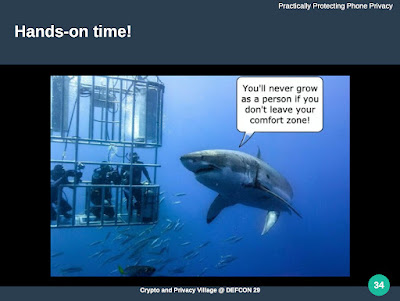
There are things that can be done to minimize the impact of this intentional data exfiltration both in a behavioral and technological level; that was the topic of the workshop "Practically Protecting Phone Privacy" we presented earlier today at the DEFCON 29's Crypto and Privacy village. I was going to write about it after we were finished, but after 4h of almost nonstop -- we just took 10min breaks every hour -- I was braindead. Understand I was up since 5pm checking and rechecking the slidedeck, the timing, and the demo. The latter did not happen because of network connectivity issues (we were doing this remote). Good thing we planned for that and had a set of screen captures -- phone, Android tools, etc -- to show the different steps. That does not make me happy since I bought 2 phones specifically for that part of the workshop, but, as one of the slides in our presentation says, we need to get out of our comfort zone.

We created a github repo to put the docs and links associated with this talk. It started as instructions to set phones up before the workshop but we plan on adding more stuff. As a result, it is a work in progress (the nicer term is living document).

Right now I still feel braindead (as my typos demonstrate) so it will take a while until I add something clever to this thread. Still, at least I would like to thank the folks at Crypto and Privacy village for having us and putting up with our troubles and shenanigans.

Monday, October 15, 2018

Creating a .E01 forensics file from command line in Linux

If you have dealt with forensics, chances are you might have bumped with a .E01 file or two. That filetype is known as Expert Witness Compression Format (EWF), which is a proprietary image file format created by Guidance Software for their Windows-based forensic software family known as EnCase (used to be called Expert Witness). The idea (the following may sound like an infomercial) is that when you need to preserve a copy of the drive of a computer for forensics (duh!) analysis (and digital evidence), then run the program to create a snapshot of the disk, hidden and unallocated areas included. The file also keeps track of case info, including when investigators accessed it, while allowing to see the contents without changing them or their file stamps. This way, the chain of custody as defined by ASTM E1459-13, is preserved.

The Tools

I have used this program and it does its job well. But, I use Linux most of the time; can I replicate what it does just enough so I can create a proper .E01 file? Enter Joachim Metz. Hey may not be Bruce Lee but he did kick some ass by creating Libewf, a Linux/OSX open source tool to create and handle not only the .E01 file format but also .Ex01 and .Lx01. Source code can be found on github, but I will be lazy and get it as a package.

Steps

  1. Get the software. It is available on debian/ubuntu as ewf-tools:

    ewf-tools - collection of tools for reading and writing EWF files

    I did not check on CentOS or Arch, but I expect both to have it too. In any case, install the package any way you feel like.

  2. Get the drive we want to investigate. Usually we would boot the compromised system using a carefulyl crafted live USB disk, or mount the drive we cant to copy into our forensics computer. In this case we will be lazy because we just want to go through the motions: we will use the disk image foretest.iso created for an article in my other blog earlier this year.
    -rw-rw-r-- 1 raub raub 1073741824 Dec 13  2018 ./dev/hack/foretest.iso

    This image will play the part of a suspicious drive we want to do some forensics on. Just a FYI, I made a copy of foretest.iso and am working from that. I know that does not replicate real life, but I like to follow

    Rule #1: Always work from a copy.

    So,

    raub@desktop:~$ cp dev/hack/foretest{,_test}.iso
    raub@desktop:~$ ls -l dev/hack/foretest*
    -rw-rw-r-- 1 raub raub 1073741824 Oct 02 17:29 dev/hack/foretest.iso
    -rw-rw-r-- 1 raub raub 1073741824 Oct 13 13:37 dev/hack/foretest_test.iso
    raub@desktop:~$ sha256sum dev/hack/foretest*.iso
    49bc20df15e412a64472421e13fe86ff1c5165e18b2afccf160d4dc19fe68a14  dev/hack/foretest.iso
    49bc20df15e412a64472421e13fe86ff1c5165e18b2afccf160d4dc19fe68a14  dev/hack/foretest_test.iso
    raub@desktop:~$
  3. Create the .E01 file. We should not try to mount the drive because that can change its contents somehow. Instead we are passing it as an argument; if it was a physical drive we could pass it as, say ,tt>/dev/sdd. During the startup, it asks a few questions to create the forensics case; remember chain of command!
    raub@desktop:~$ ewfacquire -t dev/hack/forensics/001_2018_Suspicious dev/hack/fo
    retest_test.iso
    ewfacquire 20140807                                                             
    
    Storage media information:                                                      
    Type:                                   RAW image
    Media size:                             1.0 GB (1073741824 bytes)
    Bytes per sector:                       512
                                                                                    
    Acquiry parameters required, please provide the necessary input                 
    Case number: 001
    Description: Strange growth I found under my armpit on a summerday morning
    Evidence number: 001
    Examiner name: Clueless Bob                                                     
    Notes: File is not in the right shade of fuscia                                 
    Media type (fixed, removable, optical, memory) [fixed]: 
    Media characteristics (logical, physical) [physical]: 
    Use EWF file format (ewf, smart, ftk, encase1, encase2, encase3, encase4, encase
    5, encase6, linen5, linen6, ewfx) [encase6]: ewf                             
    Compression method (deflate) [deflate]:                                         
    Compression level (none, empty-block, fast, best) [none]: 
    Start to acquire at offset (0 <= value <= 1073741824) [0]: 
    The number of bytes to acquire (0 <= value <= 1073741824) [1073741824]: 
    Evidence segment file size in bytes (1.0 MiB <= value <= 1.9 GiB) [1.4 GiB]: 
    The number of bytes per sector (1 <= value <= 4294967295) [512]: 
    The number of sectors to read at once (16, 32, 64, 128, 256, 512, 1024, 2048, 40
    96, 8192, 16384, 32768) [64]: 
    The number of sectors to be used as error granularity (1 <= value <= 64) [64]: 
    The number of retries when a read error occurs (0 <= value <= 255) [2]: 
    Wipe sectors on read error (mimic EnCase like behavior) (yes, no) [no]: 
    
    The following acquiry parameters were provided:
    Image path and filename:                dev/hack/forensics/001_2018_Suspicious.e
    01
    Case number:                            001
    Description:                            Strange growth I found under my armpit o
    n a summerday morning
    Evidence number:                        001
    Examiner name:                          Clueless Bob
    Notes:                                  File is not in the right shade of fuscia
    Media type:                             fixed disk
    Is physical:                            yes                                     
    EWF file format:                        original EWF (.e01)
    Compression method:                     deflate                                
    Compression level:                      none                                    
    Acquiry start offset:                   0
    Number of bytes to acquire:             1.0 GiB (1073741824 bytes)              
    Evidence segment file size:             1.4 GiB (1572864000 bytes)
    Bytes per sector:                       512                                    
    Block size:                             64 sectors                              
    Error granularity:                      64 sectors
    Retries on read error:                  2                                       
    Zero sectors on read error:             no                                                                                                                      
    Continue acquiry with these values (yes, no) [yes]:                             
                        
    Acquiry started at: Oct 13, 2018 14:22:45                                       
    This could take a while.                                                                                                                                        
    Status: at 2%.                                                                  
            acquired 24 MiB (25919488 bytes) of total 1.0 GiB (1073741824 bytes).
            completion in 3 minute(s) and 16 second(s) with 5.1 MiB/s (5368709 bytes
    /second).                                                                                                                                                       
    Status: at 2%.                                                                  
            acquired 25 MiB (26705920 bytes) of total 1.0 GiB (1073741824 bytes).
            completion in 13 minute(s) and 53 second(s) with 1.2 MiB/s (1263225 byte
    s/second).
    [...]
    Status: at 97%.
            acquired 995 MiB (1044348928 bytes) of total 1.0 GiB (1073741824 bytes).
            completion in 15 second(s) with 2.0 MiB/s (2126221 bytes/second).
    
    Acquiry completed at: Oct 13, 2018 14:31:08
    
    Written: 1.0 GiB (1073742012 bytes) in 8 minute(s) and 23 second(s) with 2.0 MiB/s (2134675 bytes/second).
    MD5 hash calculated over data:          cd573cfaace07e7949bc0c46028904ff
    ewfacquire: SUCCESS
    raub@desktop:~$ 


    This was rather fast because the drive was just 1GB. In a real case it would have taken hours. Note it did not ask to encrypt 001_2018_Suspicious.e01; I do not know if that is a limitation of the code or just me who should have read the docs before writing this up. And, I can't keep a straight face about the MD5 sum. The resulting file looks like this

    raub@desktop:~$ ls -lh dev/hack/forensics/
    total 1.1G
    -rw-r--r-- 1 raub raub 1.1G Oct 13 14:31 001_2018_Suspicious.e01
    raub@desktop:~$ 

    Note it is bigger than the original file as it adds all the information we mentioned. Let's see what it knows about the file

    raub@desktop:~$ ewfinfo  dev/hack/forensics/001_2018_Suspicious.e01             
    ewfinfo 20140807
                        
    Acquiry information                                                             
            Case number:            001                                             
            Description:            Strange growth I found under my armpit on a summ
    erday morning  
            Examiner name:          Clueless Bob                                   
            Evidence number:        001                                             
            Notes:                  File is not in the right shade of fuscia
            Acquisition date:       Sat Oct 13 14:22:45 2018
            System date:            Sat Oct 13 14:22:45 2018                       
            Password:               N/A                                             
    
    EWF information
            File format:            EnCase 1                                        
            Sectors per chunk:      64                                              
            Compression method:     deflate
            Compression level:      no compression
                                                                                    
    Media information                                                               
            Media type:             removable disk
            Is physical:            no                                              
            Bytes per sector:       512                                             
            Number of sectors:      2097152                                                 
            Media size:             1.0 GiB (1073741824 bytes)
                        
    Digest hash information                                                         
            MD5:                    cd573cfaace07e7949bc0c46028904ff         
    
    raub@desktop:~$ 

    and verify its integrity.

    raub@desktop:~$ ewfverify  dev/hack/forensics/001_2018_Suspicious.e01 
    ewfverify 20140807
    
    Verify started at: Oct 13, 2018 14:46:17 
    This could take a while.
    
    Status: at 4%.
            verified 44 MiB (46891008 bytes) of total 1.0 GiB (1073741824 bytes).
            completion in 1 minute(s) and 36 second(s) with 10 MiB/s (10737418 bytes
    /second).
    
    [...]
    Status: at 94%.
            verified 972 MiB (1019871232 bytes) of total 1.0 GiB (1073741824 bytes).
            completion in 5 second(s) with 11 MiB/s (12064514 bytes/second).
    
    Verify completed at: Oct 13, 2018 14:47:43
    
    Read: 1.0 GiB (1073741824 bytes) in 1 minute(s) and 26 second(s) with 11 MiB/s (12485370 bytes/second).
    
    MD5 hash stored in file:                cd573cfaace07e7949bc0c46028904ff
    MD5 hash calculated over data:          cd573cfaace07e7949bc0c46028904ff
    
    ewfverify: SUCCESS
    raub@desktop:~$ 

    Yes, more MD5-ness for your amusement. I was going to go over mounting/accessing 001_2018_Suspicious.e01 but just realized this article has become rather long. I will go over that part in a future article.

References