Sunday, August 8, 2021

Is your phone plotting against you?

There is say that states when cats nap, they dream of plots to kill their "owners."

What about phones?

Ok, maybe phones are not planning on killing you, and should have grown out of their arsonistic phase, but that does not stop them from being up to no good. You see, they are always sending information about your location, what you are saying (Alexa and Siri, I am looking at both of you), what you have searched for or bought, and even pictures and videos (think taking a protored exam at home, but creepier). Bottom line is smart phones are little snitches: they compromise your privacy by design.

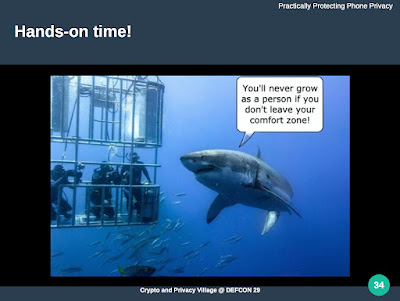
There are things that can be done to minimize the impact of this intentional data exfiltration both in a behavioral and technological level; that was the topic of the workshop "Practically Protecting Phone Privacy" we presented earlier today at the DEFCON 29's Crypto and Privacy village. I was going to write about it after we were finished, but after 4h of almost nonstop -- we just took 10min breaks every hour -- I was braindead. Understand I was up since 5pm checking and rechecking the slidedeck, the timing, and the demo. The latter did not happen because of network connectivity issues (we were doing this remote). Good thing we planned for that and had a set of screen captures -- phone, Android tools, etc -- to show the different steps. That does not make me happy since I bought 2 phones specifically for that part of the workshop, but, as one of the slides in our presentation says, we need to get out of our comfort zone.

We created a github repo to put the docs and links associated with this talk. It started as instructions to set phones up before the workshop but we plan on adding more stuff. As a result, it is a work in progress (the nicer term is living document).

Right now I still feel braindead (as my typos demonstrate) so it will take a while until I add something clever to this thread. Still, at least I would like to thank the folks at Crypto and Privacy village for having us and putting up with our troubles and shenanigans.

Saturday, August 1, 2020

Article Published at ISSA!

Our article "Converging Data Privacy and Security" was accepted for publication in the August issue of the ISSA Journal! The physical issue has not showed up in my mailbox yet, but I found it is availble (as a PDF) to members right now. This is a great wat to start the day; publishing something in a printed magazine has a different feel than giving a talk or workshop.

Fun fact: We submitted it before the June 8 deadline to be in the July issue, called Security vs Privacy Tug of War but there were too many reviews to be made and it did not make it in time. We will do better next time; like most things, there is a learning curve. Still, the deed is done and that is all that matters!

Per ISSA policy, "all articles become the property of the ISSA Journal for a period of 12 months, after which copyright reverts to the author." Until then, we cannot post it. If you are an ISSA member, you know how to get a copy.

I know this will sound cheesy but I do appreciate the patience the editor, Thom Barrie, had with us. Let's just say we were at times rather annoying.

Thursday, August 29, 2019

FIDO Alliance, StongKey, and OWASP

I need to catch some Zs, so I will try to update this article tomorrow.

Earlier today Arshad Noor gave a talk at our local OWASP chapter. He represents StrongKey (they have the octopus whose face seems to imply he knows what Tux did to have that look on his face) at the FIDO Alliance, and talked about the need and evolution of multifactor authentications systems. The part I was interested is separating the authentication from having physical access to the system you want to connect to; the former would be something like Yubikey. Application here is those servers we all need to remote access. The only part I do not like is that we are still stuck to using an app in a smartphone for that.

Monday, October 15, 2018

Creating a .E01 forensics file from command line in Linux

If you have dealt with forensics, chances are you might have bumped with a .E01 file or two. That filetype is known as Expert Witness Compression Format (EWF), which is a proprietary image file format created by Guidance Software for their Windows-based forensic software family known as EnCase (used to be called Expert Witness). The idea (the following may sound like an infomercial) is that when you need to preserve a copy of the drive of a computer for forensics (duh!) analysis (and digital evidence), then run the program to create a snapshot of the disk, hidden and unallocated areas included. The file also keeps track of case info, including when investigators accessed it, while allowing to see the contents without changing them or their file stamps. This way, the chain of custody as defined by ASTM E1459-13, is preserved.

The Tools

I have used this program and it does its job well. But, I use Linux most of the time; can I replicate what it does just enough so I can create a proper .E01 file? Enter Joachim Metz. Hey may not be Bruce Lee but he did kick some ass by creating Libewf, a Linux/OSX open source tool to create and handle not only the .E01 file format but also .Ex01 and .Lx01. Source code can be found on github, but I will be lazy and get it as a package.

Steps

  1. Get the software. It is available on debian/ubuntu as ewf-tools:

    ewf-tools - collection of tools for reading and writing EWF files

    I did not check on CentOS or Arch, but I expect both to have it too. In any case, install the package any way you feel like.

  2. Get the drive we want to investigate. Usually we would boot the compromised system using a carefulyl crafted live USB disk, or mount the drive we cant to copy into our forensics computer. In this case we will be lazy because we just want to go through the motions: we will use the disk image foretest.iso created for an article in my other blog earlier this year.
    -rw-rw-r-- 1 raub raub 1073741824 Dec 13  2018 ./dev/hack/foretest.iso

    This image will play the part of a suspicious drive we want to do some forensics on. Just a FYI, I made a copy of foretest.iso and am working from that. I know that does not replicate real life, but I like to follow

    Rule #1: Always work from a copy.

    So,

    raub@desktop:~$ cp dev/hack/foretest{,_test}.iso
    raub@desktop:~$ ls -l dev/hack/foretest*
    -rw-rw-r-- 1 raub raub 1073741824 Oct 02 17:29 dev/hack/foretest.iso
    -rw-rw-r-- 1 raub raub 1073741824 Oct 13 13:37 dev/hack/foretest_test.iso
    raub@desktop:~$ sha256sum dev/hack/foretest*.iso
    49bc20df15e412a64472421e13fe86ff1c5165e18b2afccf160d4dc19fe68a14  dev/hack/foretest.iso
    49bc20df15e412a64472421e13fe86ff1c5165e18b2afccf160d4dc19fe68a14  dev/hack/foretest_test.iso
    raub@desktop:~$
  3. Create the .E01 file. We should not try to mount the drive because that can change its contents somehow. Instead we are passing it as an argument; if it was a physical drive we could pass it as, say ,tt>/dev/sdd. During the startup, it asks a few questions to create the forensics case; remember chain of command!
    raub@desktop:~$ ewfacquire -t dev/hack/forensics/001_2018_Suspicious dev/hack/fo
    retest_test.iso
    ewfacquire 20140807                                                             
    
    Storage media information:                                                      
    Type:                                   RAW image
    Media size:                             1.0 GB (1073741824 bytes)
    Bytes per sector:                       512
                                                                                    
    Acquiry parameters required, please provide the necessary input                 
    Case number: 001
    Description: Strange growth I found under my armpit on a summerday morning
    Evidence number: 001
    Examiner name: Clueless Bob                                                     
    Notes: File is not in the right shade of fuscia                                 
    Media type (fixed, removable, optical, memory) [fixed]: 
    Media characteristics (logical, physical) [physical]: 
    Use EWF file format (ewf, smart, ftk, encase1, encase2, encase3, encase4, encase
    5, encase6, linen5, linen6, ewfx) [encase6]: ewf                             
    Compression method (deflate) [deflate]:                                         
    Compression level (none, empty-block, fast, best) [none]: 
    Start to acquire at offset (0 <= value <= 1073741824) [0]: 
    The number of bytes to acquire (0 <= value <= 1073741824) [1073741824]: 
    Evidence segment file size in bytes (1.0 MiB <= value <= 1.9 GiB) [1.4 GiB]: 
    The number of bytes per sector (1 <= value <= 4294967295) [512]: 
    The number of sectors to read at once (16, 32, 64, 128, 256, 512, 1024, 2048, 40
    96, 8192, 16384, 32768) [64]: 
    The number of sectors to be used as error granularity (1 <= value <= 64) [64]: 
    The number of retries when a read error occurs (0 <= value <= 255) [2]: 
    Wipe sectors on read error (mimic EnCase like behavior) (yes, no) [no]: 
    
    The following acquiry parameters were provided:
    Image path and filename:                dev/hack/forensics/001_2018_Suspicious.e
    01
    Case number:                            001
    Description:                            Strange growth I found under my armpit o
    n a summerday morning
    Evidence number:                        001
    Examiner name:                          Clueless Bob
    Notes:                                  File is not in the right shade of fuscia
    Media type:                             fixed disk
    Is physical:                            yes                                     
    EWF file format:                        original EWF (.e01)
    Compression method:                     deflate                                
    Compression level:                      none                                    
    Acquiry start offset:                   0
    Number of bytes to acquire:             1.0 GiB (1073741824 bytes)              
    Evidence segment file size:             1.4 GiB (1572864000 bytes)
    Bytes per sector:                       512                                    
    Block size:                             64 sectors                              
    Error granularity:                      64 sectors
    Retries on read error:                  2                                       
    Zero sectors on read error:             no                                                                                                                      
    Continue acquiry with these values (yes, no) [yes]:                             
                        
    Acquiry started at: Oct 13, 2018 14:22:45                                       
    This could take a while.                                                                                                                                        
    Status: at 2%.                                                                  
            acquired 24 MiB (25919488 bytes) of total 1.0 GiB (1073741824 bytes).
            completion in 3 minute(s) and 16 second(s) with 5.1 MiB/s (5368709 bytes
    /second).                                                                                                                                                       
    Status: at 2%.                                                                  
            acquired 25 MiB (26705920 bytes) of total 1.0 GiB (1073741824 bytes).
            completion in 13 minute(s) and 53 second(s) with 1.2 MiB/s (1263225 byte
    s/second).
    [...]
    Status: at 97%.
            acquired 995 MiB (1044348928 bytes) of total 1.0 GiB (1073741824 bytes).
            completion in 15 second(s) with 2.0 MiB/s (2126221 bytes/second).
    
    Acquiry completed at: Oct 13, 2018 14:31:08
    
    Written: 1.0 GiB (1073742012 bytes) in 8 minute(s) and 23 second(s) with 2.0 MiB/s (2134675 bytes/second).
    MD5 hash calculated over data:          cd573cfaace07e7949bc0c46028904ff
    ewfacquire: SUCCESS
    raub@desktop:~$ 


    This was rather fast because the drive was just 1GB. In a real case it would have taken hours. Note it did not ask to encrypt 001_2018_Suspicious.e01; I do not know if that is a limitation of the code or just me who should have read the docs before writing this up. And, I can't keep a straight face about the MD5 sum. The resulting file looks like this

    raub@desktop:~$ ls -lh dev/hack/forensics/
    total 1.1G
    -rw-r--r-- 1 raub raub 1.1G Oct 13 14:31 001_2018_Suspicious.e01
    raub@desktop:~$ 

    Note it is bigger than the original file as it adds all the information we mentioned. Let's see what it knows about the file

    raub@desktop:~$ ewfinfo  dev/hack/forensics/001_2018_Suspicious.e01             
    ewfinfo 20140807
                        
    Acquiry information                                                             
            Case number:            001                                             
            Description:            Strange growth I found under my armpit on a summ
    erday morning  
            Examiner name:          Clueless Bob                                   
            Evidence number:        001                                             
            Notes:                  File is not in the right shade of fuscia
            Acquisition date:       Sat Oct 13 14:22:45 2018
            System date:            Sat Oct 13 14:22:45 2018                       
            Password:               N/A                                             
    
    EWF information
            File format:            EnCase 1                                        
            Sectors per chunk:      64                                              
            Compression method:     deflate
            Compression level:      no compression
                                                                                    
    Media information                                                               
            Media type:             removable disk
            Is physical:            no                                              
            Bytes per sector:       512                                             
            Number of sectors:      2097152                                                 
            Media size:             1.0 GiB (1073741824 bytes)
                        
    Digest hash information                                                         
            MD5:                    cd573cfaace07e7949bc0c46028904ff         
    
    raub@desktop:~$ 

    and verify its integrity.

    raub@desktop:~$ ewfverify  dev/hack/forensics/001_2018_Suspicious.e01 
    ewfverify 20140807
    
    Verify started at: Oct 13, 2018 14:46:17 
    This could take a while.
    
    Status: at 4%.
            verified 44 MiB (46891008 bytes) of total 1.0 GiB (1073741824 bytes).
            completion in 1 minute(s) and 36 second(s) with 10 MiB/s (10737418 bytes
    /second).
    
    [...]
    Status: at 94%.
            verified 972 MiB (1019871232 bytes) of total 1.0 GiB (1073741824 bytes).
            completion in 5 second(s) with 11 MiB/s (12064514 bytes/second).
    
    Verify completed at: Oct 13, 2018 14:47:43
    
    Read: 1.0 GiB (1073741824 bytes) in 1 minute(s) and 26 second(s) with 11 MiB/s (12485370 bytes/second).
    
    MD5 hash stored in file:                cd573cfaace07e7949bc0c46028904ff
    MD5 hash calculated over data:          cd573cfaace07e7949bc0c46028904ff
    
    ewfverify: SUCCESS
    raub@desktop:~$ 

    Yes, more MD5-ness for your amusement. I was going to go over mounting/accessing 001_2018_Suspicious.e01 but just realized this article has become rather long. I will go over that part in a future article.

References

Saturday, April 29, 2017

Capturing Network Traffic in Windows Without Wireshark

One of the things that drives me nuts in the Windows community, articles found in help web sites included, is the idea that to solve any problem you need download something and run it. And ideally something off a shady site that must be run in Admin mode. Packet capturing is one example.

Yes, I do know of Wireshark, I like it a lot and think it is a brilliant program; the fact you can run it in Linux, OSX, and Windows is a nice touch. But, like everything else it has its place. So, where is that in my opinion? I think it is great for:

  • Packet inspection in a nice visual way
  • Following all the packets that make a stream. Ex: if you found a file being transfered, you can find every single packet involved.
  • Packet filtering. yes, you can do that in tcpdump, but doing it visually and colourfully is so much nicer. Looking for a rogue DNS in a haystack of data? Just tell wireshark to mark any DNS response in purple!
  • The massive list of non-TCP/UDP traffic (say, USB) it can handle.
  • Deploying a tap or switch port mirror.
  • Lots
  • Having in your handy pentest/security laptop.

Now, where do I think it should not be used? Servers. The way I was taught in kitty school is that you should only install in the server the programs you need to provide the services said server is supposed to offer (and to secure that). For instance, some good explaining is required to justify running a VPN service in a web server specially in this age of containers. About normal packet capturing, I understand the occasional need for that in a server, but why installing wireshark in it? If its operating system is Linux, there is a perfectly good tcpdump avaiable: you install it, do what you need, and then remove it after the task is done; there is no need for leaving it in the server "just in case." But, what about a Windows server? There is no tcpdump port on it, so wireshark is the logical alternative.

Or is it? What if I told you Windows has a built-in solution?

Enter netsh trace, which allows you to record network traffic without downloading an extra program. It is not as sophisticated as tcpdump but if all we want is to capture packets, it work just fine. It is command line, but I think we can handle that. Here are the avaiable options:

PS C:\Users\user> netsh trace ?

The following commands are available:

Commands in this context:
?              - Displays a list of commands.
convert        - Converts a trace file to an HTML report.
correlate      - Normalizes or filters a trace file to a new output file.
diagnose       - Start a diagnose session.
dump           - Displays a configuration script.
help           - Displays a list of commands.
show           - List interfaces, providers and tracing state.
start          - Starts tracing.
stop           - Stops tracing.

To view help for a command, type the command, followed by a space, and then
 type ?.

PS C:\Users\user>

Recording

The way I usuall start recording network traffic is (and, yes you need to run it as an Admin)

netsh trace start persistent=yes capture=yes tracefile=packets.etl

Where

  • persistent: Keep on logging after a reboot. Default is persistent = no
  • start: Start packet capture. To stop it, netsh trace stop.
  • tracefile: Is the name (and path) of the file the packets will be saved to. If you just enter the filename, it is saved in the same directory/folder you ran the command from. It is comparable to the -w flag in tcpdump. I strongly suggest to save this file somewhere only you (or the Admin) has access to; there are very few times when having a packet capture file available for all makes sense.

Other useful options:

  • maxsize: max size of log file before it gets overwritten. maxsize=250 (MB) is the default; if you set maxsize = 0 it would not stop filling it up until running out of disk space (unlimited).

Inspecting

When you finish capturing you will notice that you now have two new files:

Mode                LastWriteTime         Length Name
----                -------------         ------ ----
-a----        4/24/2017   3:59 PM         650033 packets.cab
-a----        4/24/2017   3:58 PM         524288 packets.etl

For this discussion we will only care about packets.etl. Next step is to take the file out of the server to a system where we can analyze it with wireshark (the right tool for the job). Unfortunatelty Wireshark as of the time this article was created (April 2017) can't read a .etl file; more info on a wireshark bug report that started on 2011 and was last updated 2 years ago. The only way I know to convert is using the Microsoft Message Analyzer, which means you need to install it, import packets.etl, and then export it (Save As->Export) as a .cap file. You could argue that if we have Microsoft Message Analyzer, there is no reason to add wireshark, but while I know how to use wireshark I only know how to use the Microsoft product to convert the packet to a format wireshark can use. I do wish there was a way to do this step from the command line; if someone knows, do post in the comments.

What about real time monitoring?

Do you remember the part about tap or switch port mirror? That is what I would do before putting wireshark in the server. If you have to install wireshark in the Windows server, do keep track of the extra programs you also need to install and ensure they are all removed after you are done.

Saturday, May 21, 2016

Convenience, shredding, and security

A couple of weeks ago I was walking and saw a row of blue recycling bins. The the businesses around the path I was taking are very big on recycling, so it makes sense to have many of those bins which were labelled for what they are supposed to take: normal printed paper, aluminum cans, cardboard, glass, plastic of a certain composition, and so on. On the top of the one for plain paper, I saw a bag full of shredded paper shoved into it. It did not go that far into the bin -- perhaps because it was a massive bag or perhaps the bin was full -- which made for a nice photo.

I think it is a bit of a stretch calling that shredded paper. In fact, the contents of that bag would be a great gift for a kindergarten: those kids would have fun making some fake hair using those thin strips. In this day and age, there is no place for a strip-cut paper shredder. For comparison, let's see the contents of a better, yet personal/small size, shredder:

With all of that said, sadly it is better than nothing. And nothing is still the norm. Maybe not as much in the office, satisfying some kind of requirements to do business with a government entity comes to mind, but it is the case at home. I could post some statistics here but instead let's do a little exercise:

  1. Do you shred documents and papers before throwing them out?
  2. Do your 10 closest friends or nearest neighbors (at least the ones you talk to) do it?
  3. Out of 10 business you go to, how many do shred their documents?

How many "nope"s did you get? Probably quite a few. Of those, ask for the reasons; I would expect you to get back something on the lines of:

  • It takes too much time.
  • I pay my staff to work, not to waste time!
  • Why someone would bother with a small fry like me where there are juicer targets?
  • I have nothing to hide!
  • It only happens to someone else.
  • It is too complicate.
  • It is too expensive.

What those translate to is a perception that it is not needed to shred those. Of course as soon as someone uses the improperly shredded documents to hurt a company where it matters most -- wallet -- the knee-jerk-reaction rule dictates said company will go full paranoid mode, fire a few employees, and throw a ton of money on who ever promises to sell them a magic bullet. Sounds familiar? But, it does not have to be that way.

Why to shred paper to begin with?

That's easy to answer: you shred documents when those physical documents are no longer needed but for whatever reason you do not want others to get to them. One example would be your bank statements after, say, 7 years. Other would be old credit cards and driver's licenses and anything that has your signature and personal info. Another is medical records. Criminals can use them to get lines of credit -- car loans and credit cards -- or even transfer money from your bank account.

Of course you might decide you do not want to destroy those documents before you trash them; that is up to you, but any decision you make has consequences. I will leave the moral decision to you. Remember that at least in the US, dumpster diving is legal.

Reconstructing a document from its shredded version is like working on a puzzle. You start with a bunch of pieces and then looking for patterns to help finding out where pieces go. If you find enough you can then try out the remaining pieces until they all have a place to go.

Can we make this puzzle a bit harder?

Shredding Suggestions

If I get your puzzle pieces and now add pieces about the same shape and size but from a different puzzle into the pile, and maybe take a few out, things get quite more problematic. And that can be done quite easily and cheaply if you want to put the time and accept some might think you are a bit odd. The following list are examples of how to increase randomness hopefully on a budget without being too time consuming.

  1. Do not shred documents you might still need. Information has a lifetime, which is why you employ different security procedures based on the length of time you need to keep said data protected. You only shred a document when you no longer need it. The receipt for a sandwich may not need to be kept as long as your tax supporting documents. So, it might be OK to shred the sandwich receipt a few years earlier than the tax ones.

    If others will be using the shredder, do help them understand when to shred.

    I have the utility bills from where I lived some 10 years ago. I think it is time for them to go meet Shredder-chan.

  2. Place your shredder close to where you (or your family/staff) will use. Make it convenient to use.
  3. Buy a shredder that can handle at least 20 pages and cuts them into confetti. Shredder size is determined by amount of paper you plan on shredding every day (double it to be on the safe size). Confetti is the largest size you want to cut your documents.

    If you have to choose (budget constraints) between capacity and size of the shredded paper, get the one that cuts the paper into the smallest pieces.

  4. Don't shred only important documents. Mix non confidential -- Chinese Restaurant take out menus, spam, ads from local car dealership, grocery list, homework -- stuff with the confidential documents. Yes, it takes more work, but it makes it much harder for someone to find the good stuff inside a bag of shredded documents. You are making the haystack where your needles are much larger.
  5. If you have more than one shredder in your office/home, mix their contents. This can be as simple as having one of those large blue recycling bins from the first picture and pour the contents of the different shredders into it in the end of the day.
  6. Find neighbors (home or business) who shred documents and suggest to mix all of your shredding together.. Same as the previous step, but think of it as an excuse to get to meet new people!
  7. Divide the content into smaller bags and drop them at different locations. If you only shred paper, why not take some to one of those paper recycling drop places. And maybe to a dumpster by the local Chinese fast food place we mentioned before. Or maybe see if someone wants to use it as pet bedding. Try to be as random as you can when filling the bags.

Final thoughts

If you want to shred documents, I hope this gave you ideas of how to make the shredded output more secure. Or at least got you started. I a a firm believer that just throwing money at a problem hoping to make it go away usually does not work as one expects.

So I know this shredder company. You know the kind: they come to you, get documents you put in a supposedly secure bin, and will shred your documents. One thing they are particular is that they do not want you to put pre-shredded documents in their bin. Why?

Saturday, April 16, 2016

Telemarketing Cold Call Gone Wrong

I have a feeling most of us who live in the US had to deal with telemarketers one time or another. On my side, that usually happens when a company I dealt with sold my info out. And example would be when I buy a domain. Last time I did it, which was for this very site, the next three weeks were filled with calls to my home trying to sell me services. And the same happens at work. The tactics change depending on where they are calling you at:

  1. If calling your home/cell number they will try to appeal to emotions such as greed "you have won a prize! Please stand by to provide the personal info we seek" or fear "there is a warrant for your arrest! Call us back immediately at this number."
  2. If calling at work they might try to generate the lead by offering a white paper or a webinar if you, or who has purchasing authority, provide them with info. We do get the whitepaper one a lot at work.

On April 13 I received one of those calls. I twitted about that once it was over, but I thought it deserved a longer/better entry. The story begins with a telemarketer who works for a company selling "secondary storage solutions" from what I had gathered from the questions; but since he was doing a bit of recon, he did not identified himself as so. I wish I had a way to record the conversation, but that was company's phone. In any case, it went something like this (I will put my thoughts in itallics):

  • Telemarketer:I am doing research and my deadline is this Friday. Can I talk to the IT manager?

    As we know, any good social engineering campaign relies on pressing some sense of urgency onto their victims so they are compelled to act before thinking. I am not one of those experts with years of experience in the field, but my BS detector is well trained. However, by default if I receive a call of an unknown number I assume scam. To give the benefit of the doubt, I decided to ask a few questions. Note that I also broke the expected handshaking flow.

  • Me: Oh really? Which organization are you with?
  • Telemarketer: I am from the University of the United States.

    When I heard that reply, the first thing that came to my mind was that scene in Coming to America when Eddy Murphy tells the Shari Headley he attends The University of America, which she has never heard of. In other words, scam. So, game on!

  • Me: Oh really? I have never heard of it. Where is it located?
  • Telemarketer: Santiago.
  • Me: You mean, as in Chile?
  • Telemarketer: Sure. I want to ask a few questions about your storage for my research that is due on Friday. this should take 30 seconds. Which storage system do you use for your secondary storage?

    His research is due on Friday! This needs to be done now! Oh the urgency! And technical terms like "Secondary Storage!" I am confused and being compelled to divulge info! What should I do?

  • Me: PickleNAS.

    Don't hate me; that's the best fake name I could come up with under so overwhelming pressure. It would be funny if that actually exists, so you there! Go create the PickleNAS! Now!

  • He did make me spell it out. I wonder when he will realize what I was up to? I was begin to have a hard time holding my laugh; but I was going to prevail!
  • Telemarketer: How much storage do you use?
  • Me: 1 3/4TB
  • Telemarketer: One and three-quarters?
  • Me: Yeah, we don't read much here.

    I was dropping hints but he would not get it.

  • Telemarketer: I see. Are you the IT Director, Manager, or in a Decision Position?
  • Me: Nope.
  • Telemarketer: I see, so you make recommendations. What is your title?
  • Me: Food taster.

    I swear that was my reply.

At that point, I hung up. I could not go on and needed to burst out laughing. Funny thing is that the same person -- at least the number on the callerID was the same -- called again. She was a bit nicer to him and just told him to bugger off.

Moral of the Story

Good question; I really have no good sensible and proper security advise. I guess that once you realize you are dealing with telemarketing or some spam/phishing call, I see nothing wrong with turning the table around and having fun at the attacker's expense.